Backup and recovery for Windows, Linux and Hyper-V
Enterprise-grade backup that never leaves your network.
OmniBackup protects files, databases, Active Directory, complete servers and Hyper-V virtual machines, encrypts everything with AES-256, and keeps it on storage you own. No cloud account. No central console to attack.
Start the free 30-day trial Take the product tour
Every feature in the trial. No card needed. Installs in minutes.
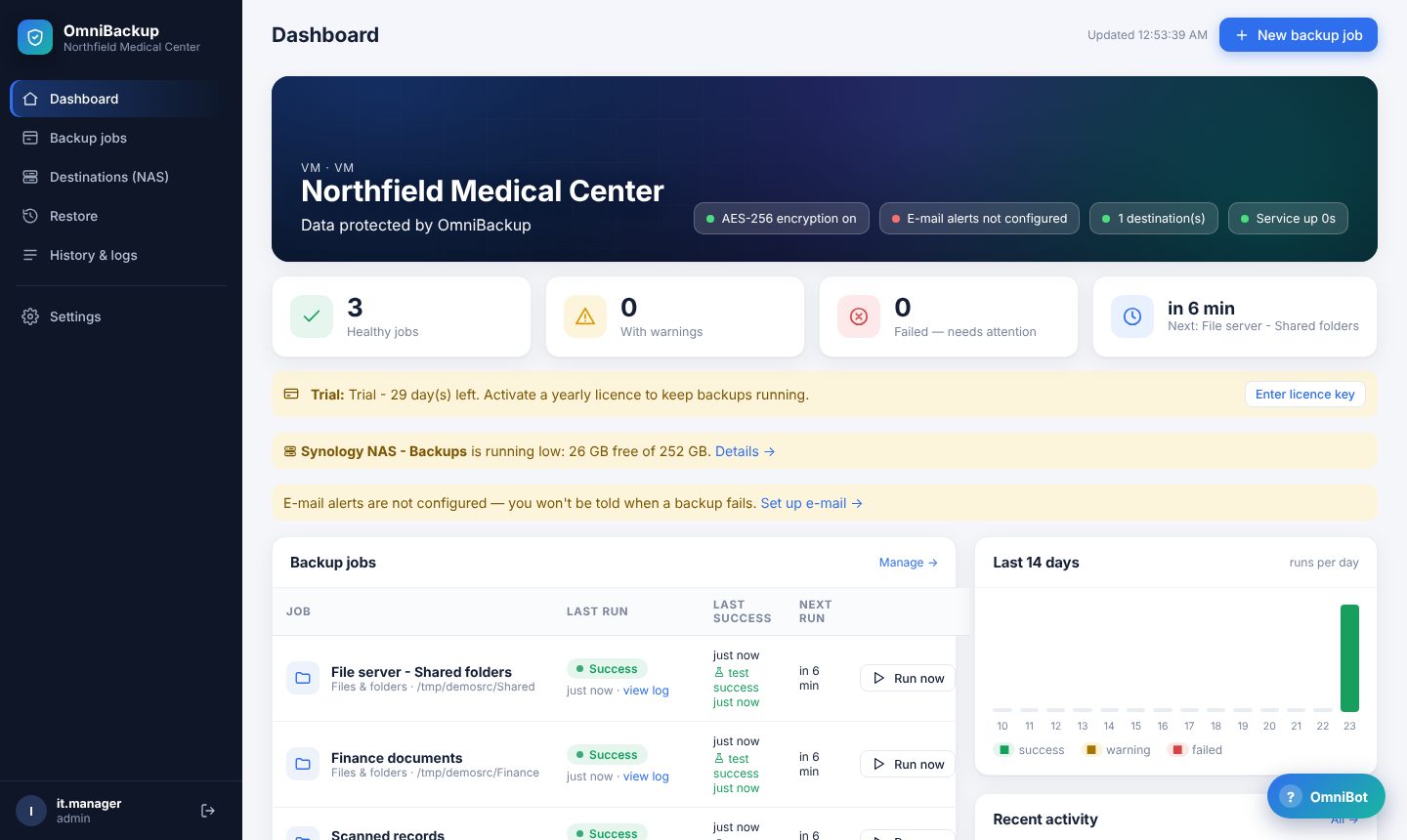
One product for the whole server room
Physical or virtual, Windows or Linux, each workload gets its own job, schedule and retention.
Files and folders
Full, differential and incremental backups. Open files are captured through Windows shadow copies.
Databases
SQL Server full, differential and transaction-log backups. MySQL, MariaDB and PostgreSQL.
Servers and Active Directory
Bare-metal images, System State and Active Directory, with jobs that repair the Windows snapshot service themselves.
Hyper-V virtual machines
Whole machines, disks and settings, backed up from the host and restored with one button.
Linux servers
Files and databases on Linux, with the same dashboard and encryption.
Any NAS you already own
Synology, QNAP, TrueNAS and any SMB share, plus a second copy for a 3-2-1 layout.
How OmniBackup protects your data
Everything happens inside your network. Nothing is sent to us or to a cloud.
Security by design
Built for the day someone attacks your backups
Ransomware looks for backups first. OmniBackup is designed to give it as little as possible to find.
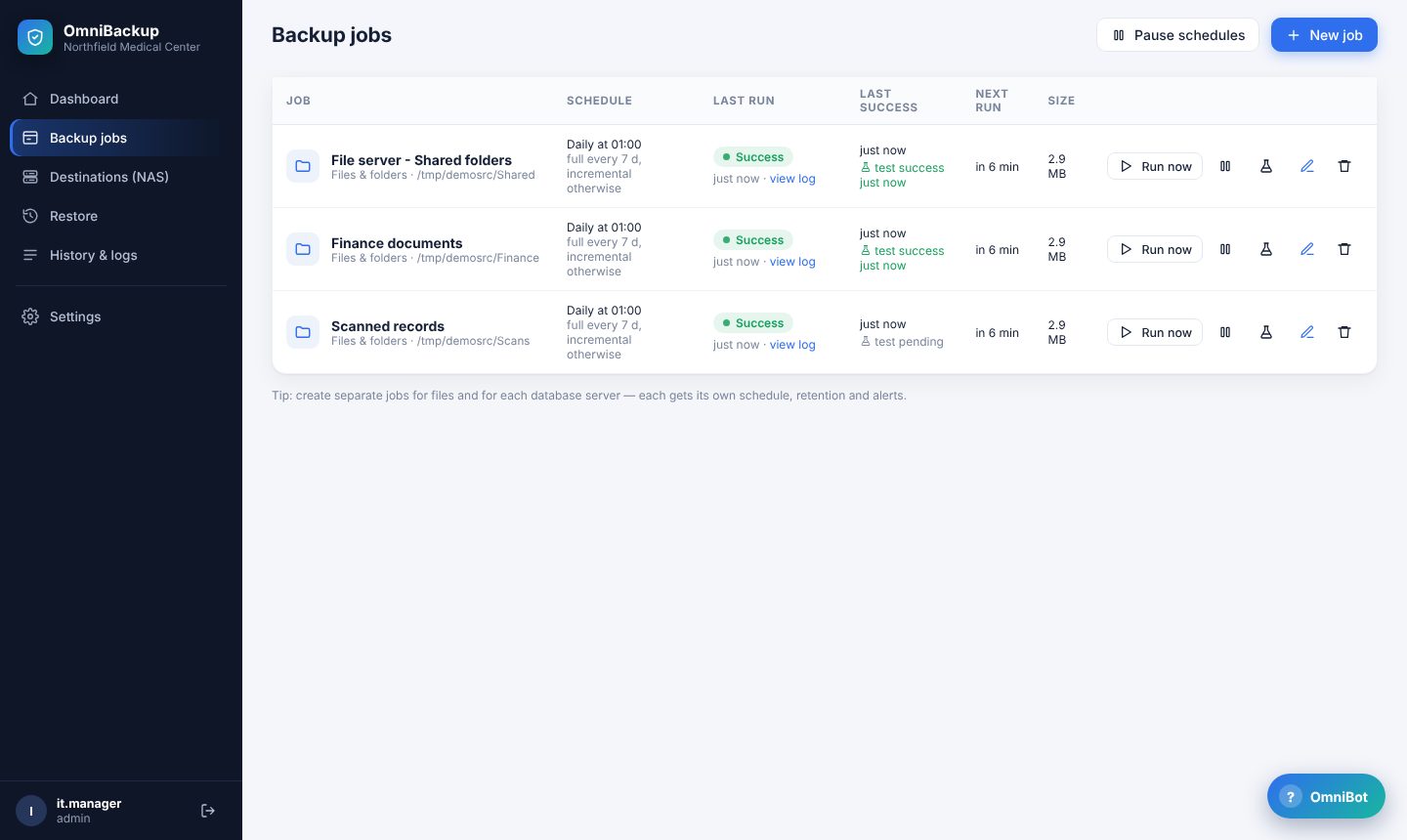
- Encrypted at the source. AES-256-GCM on the server, with keys only you hold.
- Storage connected only while a job runs, using a dedicated NAS account.
- No shared console. Every server stands alone, so one breach cannot reach every site.
- Two-factor sign-in, lockout and a full audit log on every installation.
- Digitally signed updates. Nothing installs without our signature.
Built-in intelligence
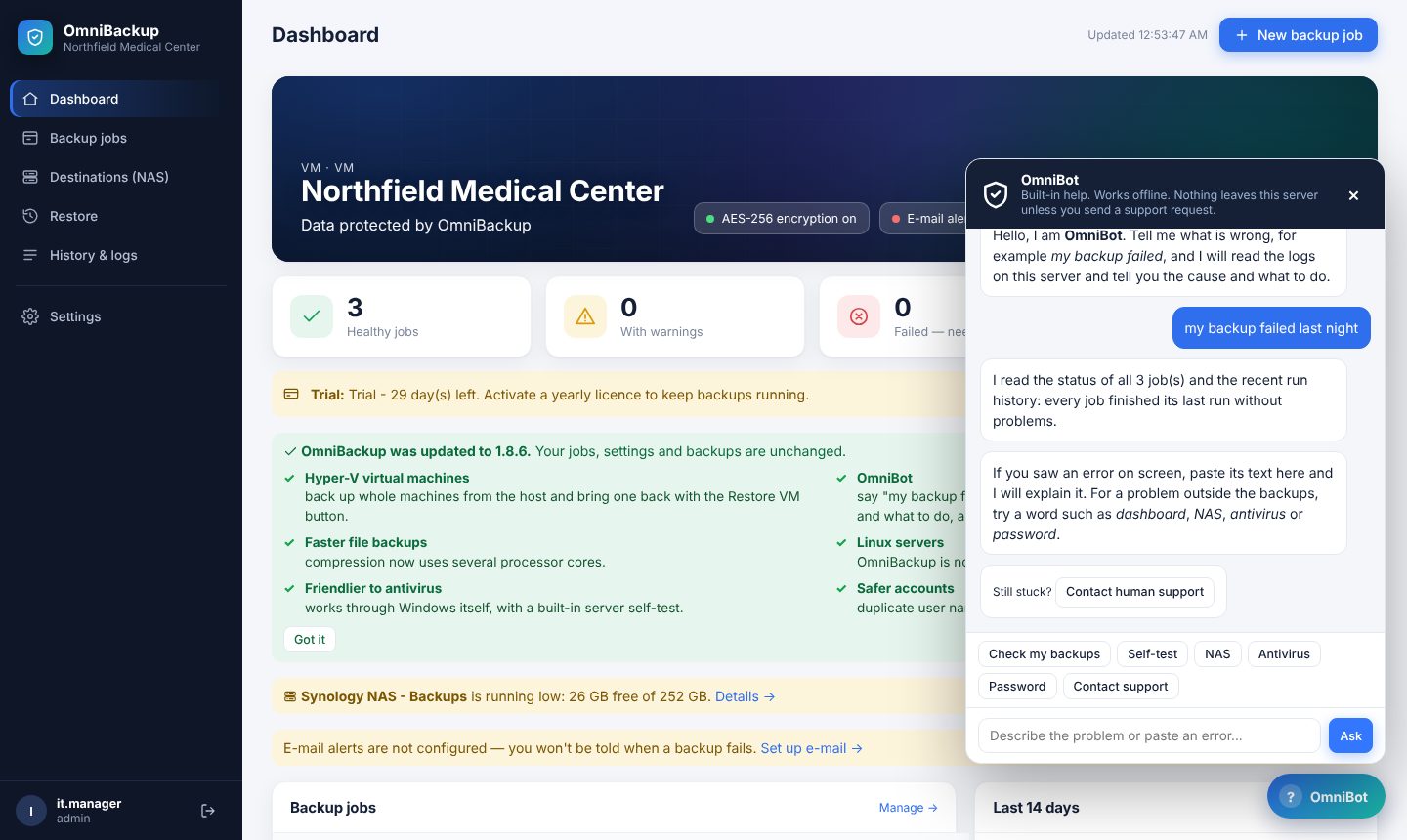
Meet OmniBot, the assistant that reads the logs for you
Tell OmniBot that a backup failed. It reads the job status and logs on your server, explains the cause in plain language, gives the exact steps, and can pass you to our support team with one form.
- Works on the server itself, with no internet connection.
- Server jobs check and repair Windows before they start, with your permission.
- Every warning opens a short explanation and the fix.
- Interrupted jobs start again by themselves after a restart or power cut.
Solutions for the way you work
The same product, set up for the pressures of your sector.
Healthcare
Patient data kept on premises, with the evidence auditors ask for.
Learn more →Government and education
Data sovereignty and offline operation as standard.
Learn more →Small and mid-size business
Set it up once. It tells you when something needs attention.
Learn more →Enterprise and MSPs
One standard across many sites, with no shared point of failure.
Learn more →Ready for your next audit
OmniBackup supplies the technical backup controls that ADHICS, HIPAA, GDPR and ISO 27001 ask for.
Encryption and key control
AES-256 with keys held by your organisation, and three documented ways to recover them.
Proof that restores work
Scheduled restore tests with logged results, ready for the audit file.
Records you can export
Run history, audit log and alerts, filterable and exportable.
Simple, transparent pricing
Per server, in US dollars. Every plan includes every feature.
Black Friday and Cyber Monday sale: 50% off every plan until 30 November 2026
1 year
- All updates and security fixes
- E-mail support
- Every feature
3 years
- All updates and security fixes for 3 years
- E-mail support
- Every feature
Lifetime
- Never expires on that server
- Updates and security fixes for 12 months
- Every feature
- No support
- No updates after 12 months
Learn from our resource library
Datasheet
OmniBackup at a glance
Capabilities, specifications and licensing on two pages.
Read →Blog
The 3-2-1 backup rule, explained for small IT teams
Three copies, two kinds of storage, one copy somewhere else. What the rule means in practice and how to reach it with a NAS.
Read →Blog
Ransomware goes for the backups first. Make them hard to reach
Attackers look for the NAS before they encrypt anything. Simple settings that keep backup copies out of their way.
Read →See it protect your own server
Download the trial and run your first encrypted backup in under fifteen minutes.
Start the free 30-day trial Talk to sales